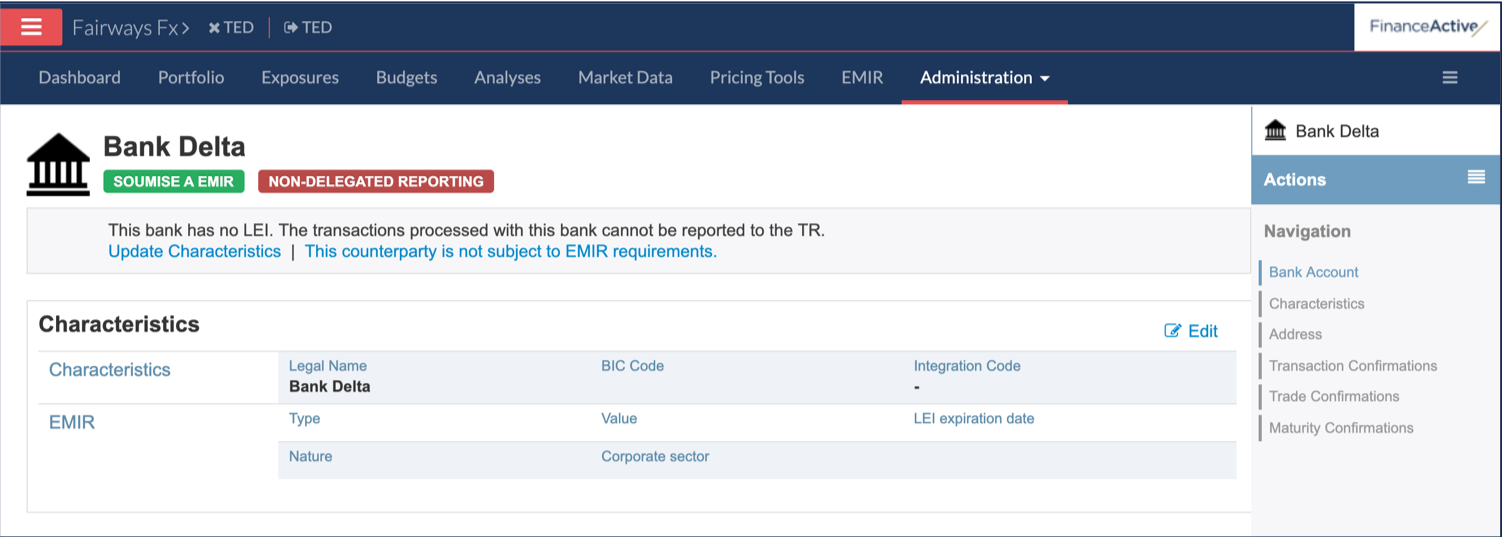
Navigate to Third Parties
- Log in to your Fairways Fx account.
- Select an account.

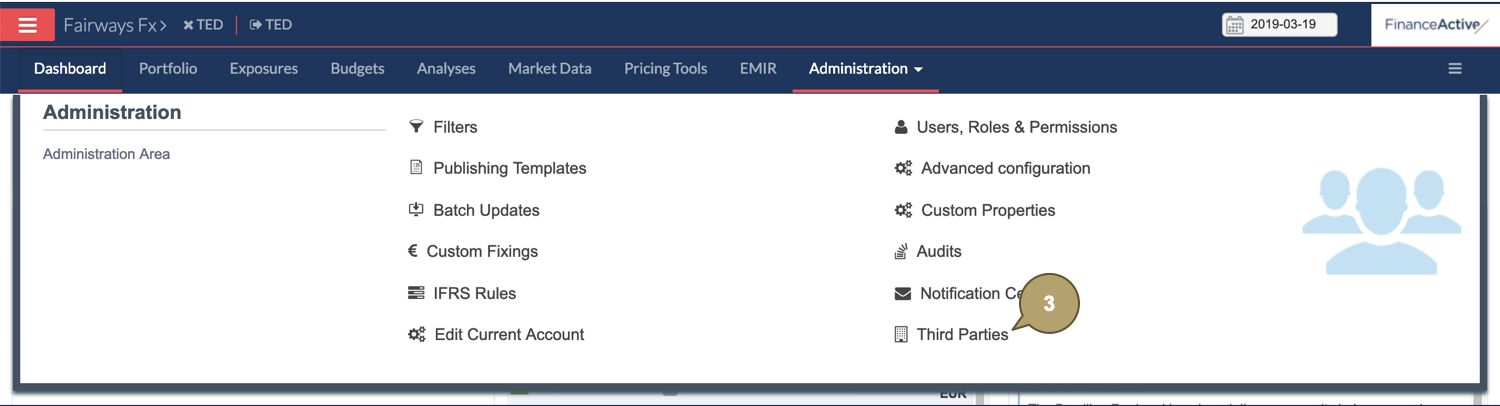
- Navigate to Administration > Third Parties.
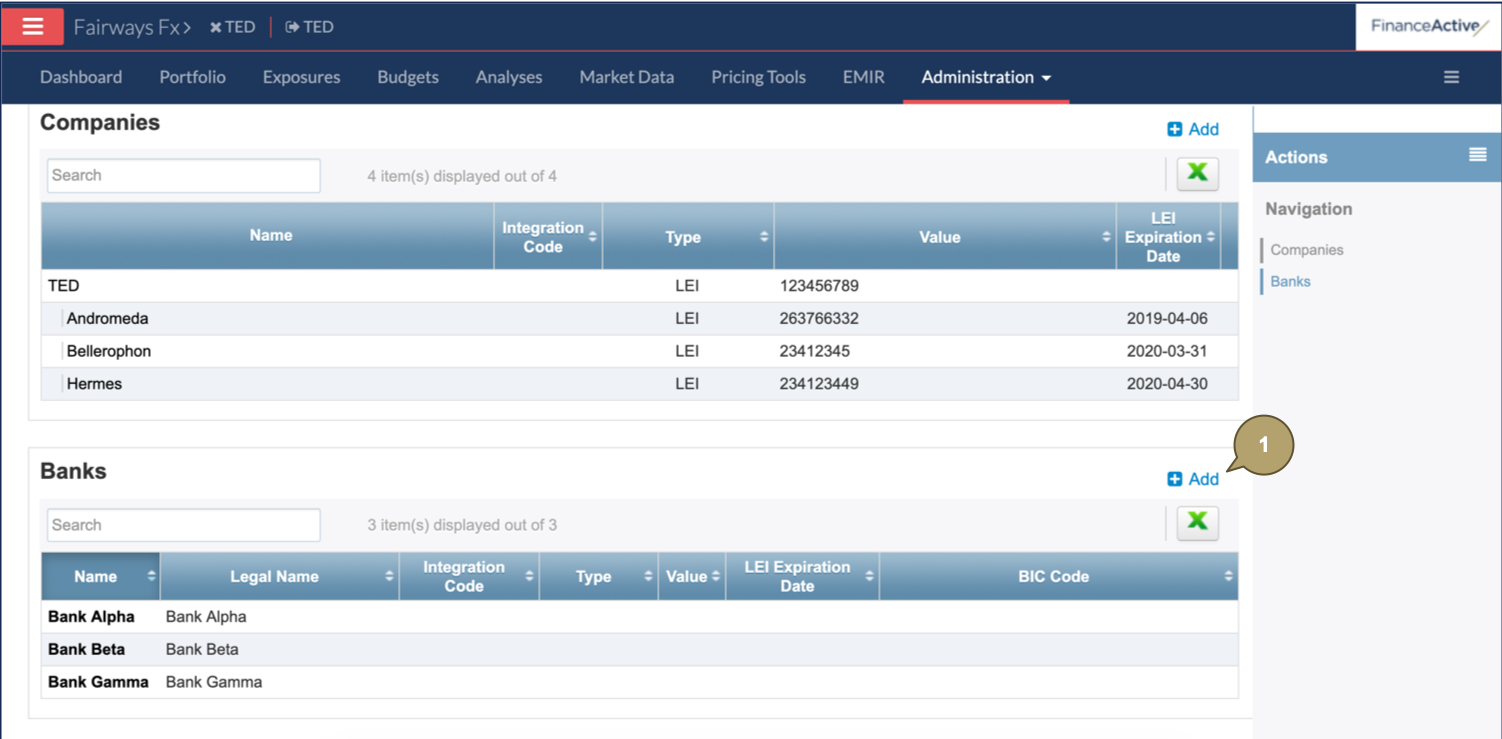
Create a Bank
- Click Add.
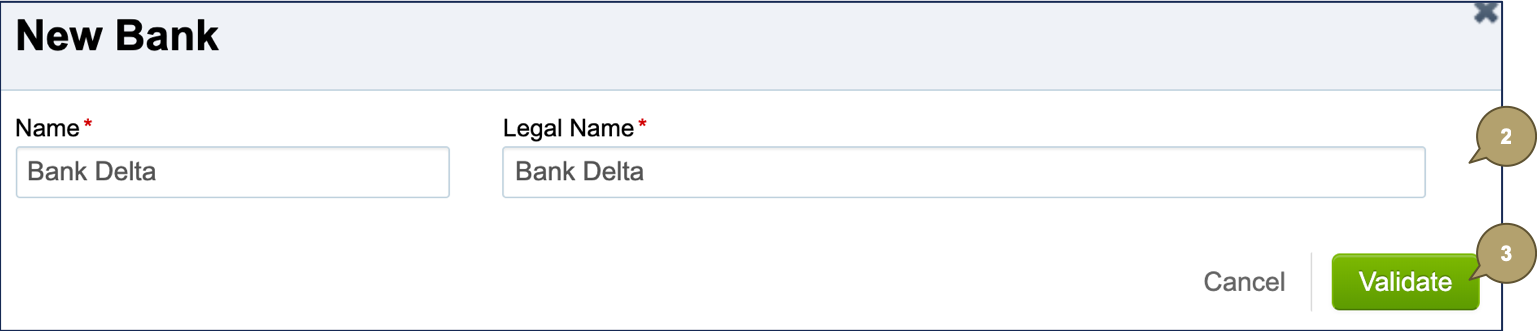
- Complete the form with all relevant details.
Note: Fields marked with an asterisk * are mandatory.
| Field | Description |
|---|---|
| Name | Usual name of the bank. |
| Legal Name | Full name of the bank. |
- Click Validate.
The new bank displays.