A third party in Fairways Guarantees can be an entity of the group, a beneficiary, an external or a local guarantor.
Note: Only administrators can manage third parties.
Navigate to the Third Parties Section
- Log in to your Fairways Guarantees account.
- Select a customer account.
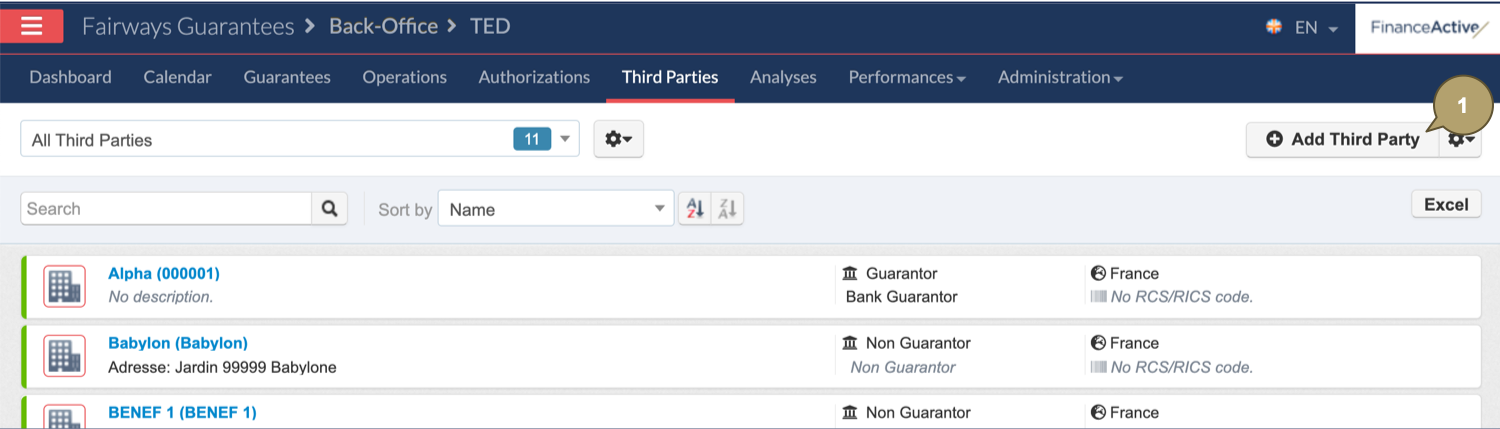
- Navigate to Third Parties.

Create a Third Party
- Click Add Third Party.
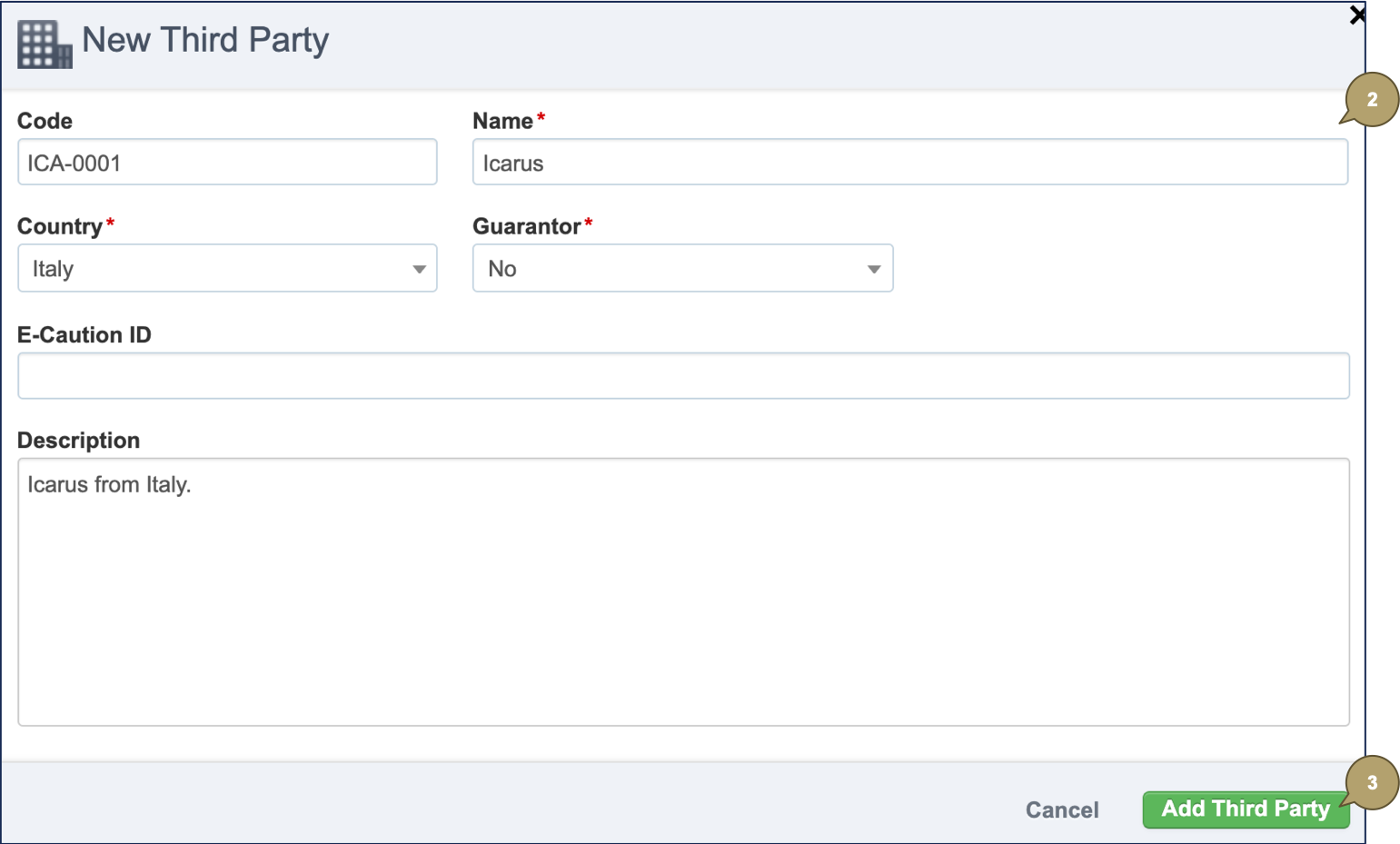
- Complete the form with all relevant details.
Note: Fields marked with an asterisk * are mandatory.
|
Field |
Description |
|---|---|
|
Code |
Third party code. Note: 20 characters at most. |
|
Name |
Third party name. |
|
Country |
Country where the third party is based. |
|
Guarantor |
If the third party is a:
|
|
E-Caution ID |
E-caution reference of the third party, if relevant. Note: 2048 characters at most. |
|
Description |
Additional details about the third party. |
- Click Add Third Party.
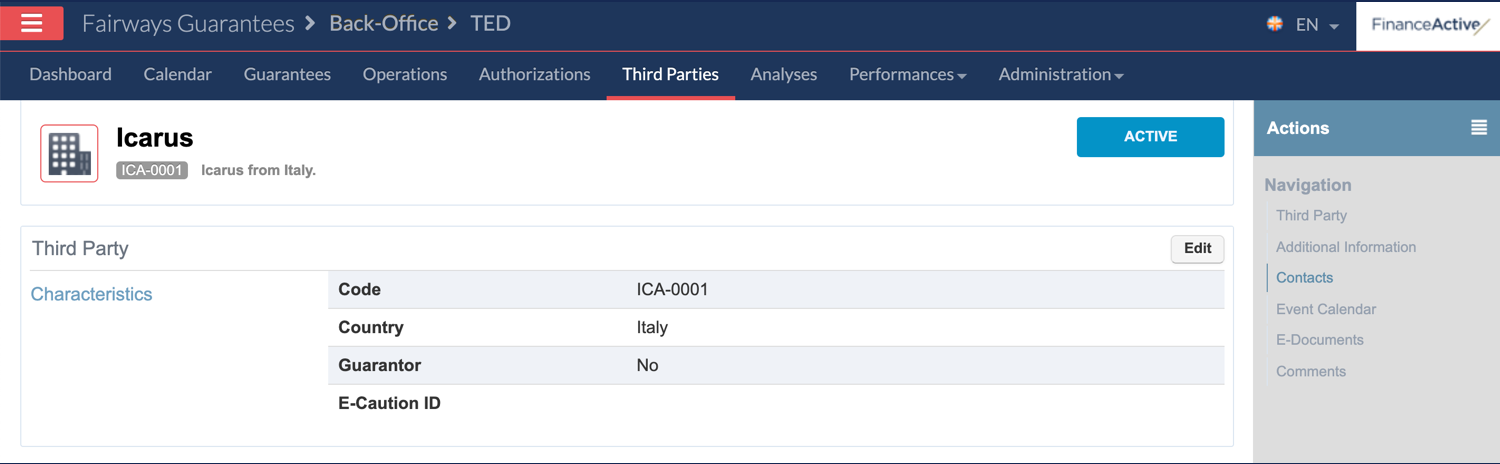
The new third party profile displays.