After adding fees to a guarantee in Fairways Guarantees, you may need to edit the phase configuration if its terms have changed.
Prerequisite
Navigate to the Guarantees Section
- Log in to your Fairways Guarantees account.
- Select a customer account.
- Navigate to Guarantees.

Edit a Phase of Recurring Fees in a Guarantee
- Click a guarantee to open its profile.
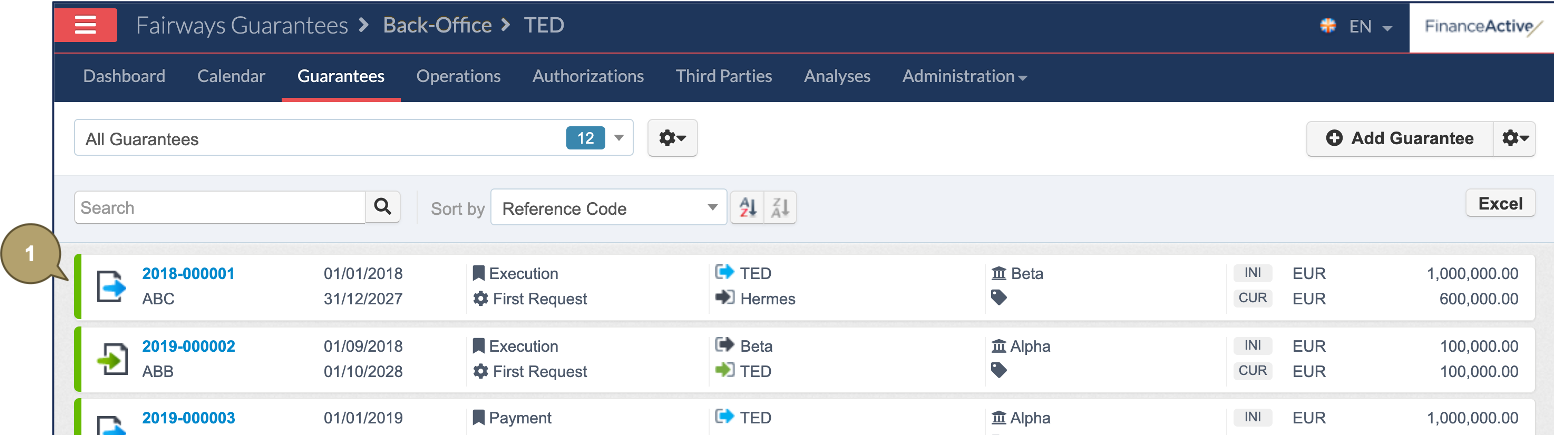
- Navigate to the Financial Fees section.
- Click Edit beside the fee phase to edit.
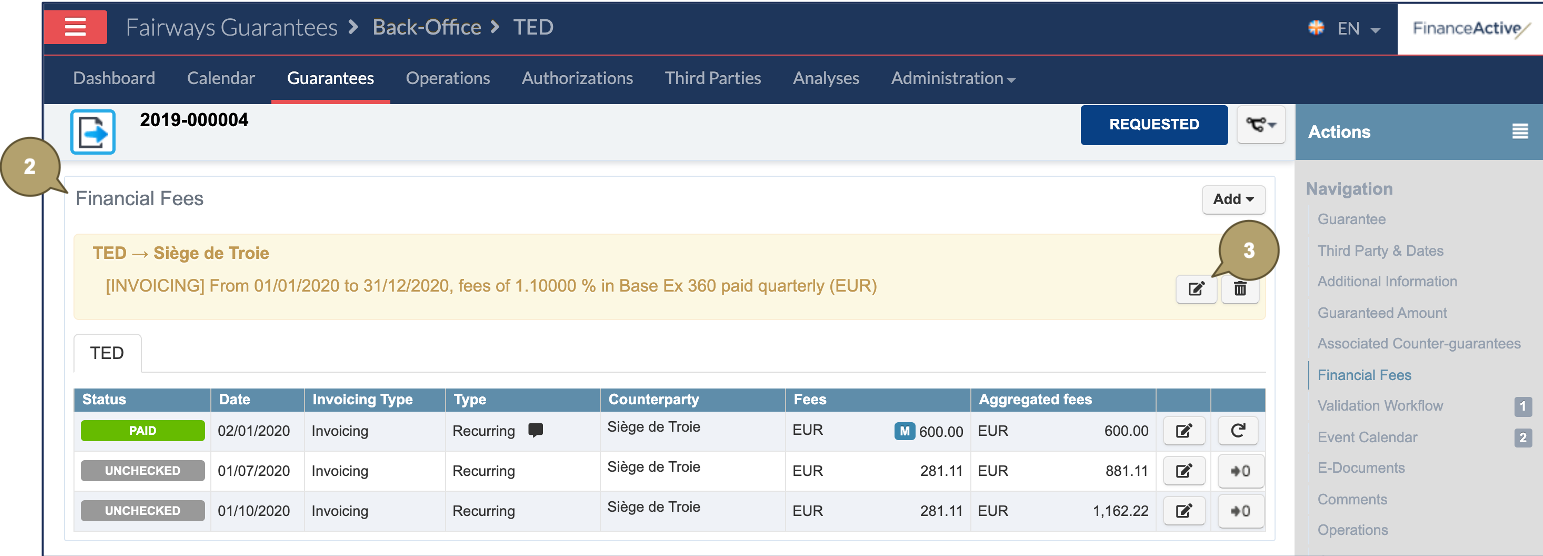
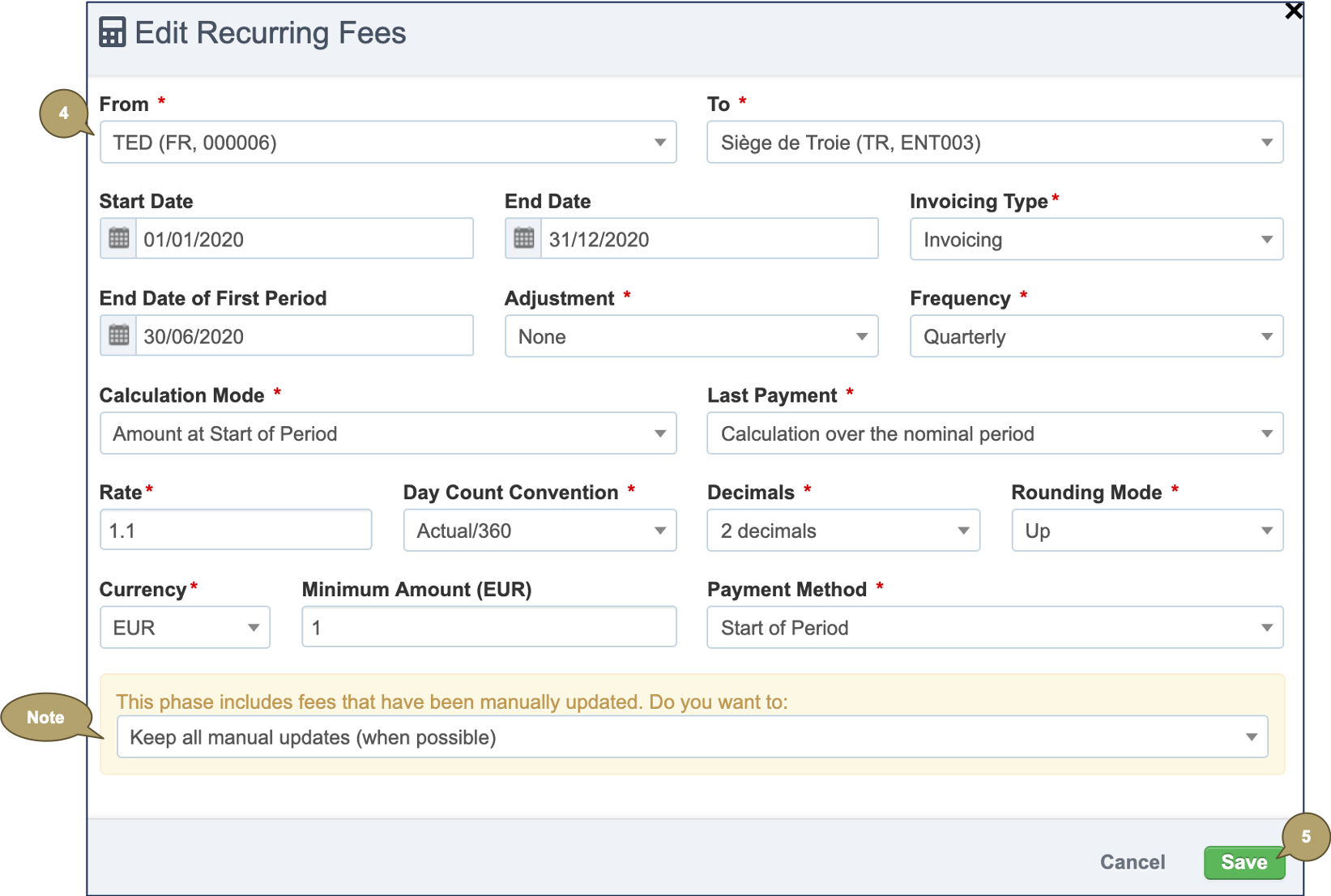
- Complete the form with all relevant details.
Note: Fields marked with an asterisk * are mandatory.
|
Field |
Description |
|---|---|
|
From |
Payer. |
|
To |
Receiver. |
|
Start Date |
Start date of the fee phase. Note: By default, the same date as the effective date of the guarantee. |
|
End Date |
End date of the fee payment. Note: By default, the same date as the expiry date of the guarantee. |
|
Invoicing Type |
Fairways Guarantees automatically calculates fees according to 3 invoicing types:
|
|
End Date of First Period |
End date of the first period, if it is a stub period. |
| Adjustment mode for the payment date. | |
|
Frequency |
Frequency of the payments. |
|
Calculation Mode |
Basis amount used to calculate the fees. |
|
Last Payment |
Calculation mode of the last payment. |
|
Rate |
Rate applied. |
| Used to compute the day fraction of an interest accrual period. | |
|
Decimals |
Count of decimals in the amount. |
|
Rounding Mode |
Rounding rule. |
|
Currency |
Currency in which fees are charged. It can be different from the currency of the guarantee. |
|
Minimum Amount |
Minimum amount of the fees that can be charged by the (local) guarantor. |
|
Payment Method |
|
Note: If you have manually updated individual fees of the phase, select how the recomputation should treat them.
- Click Save.
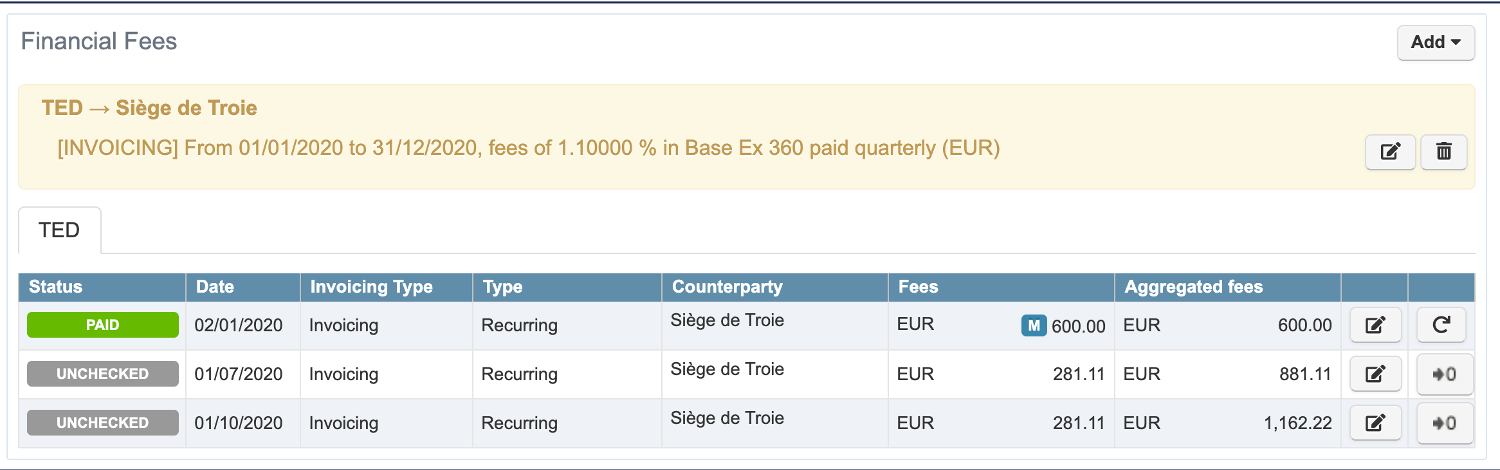
The fee phase updates.
Adjustment
Adjustment modes define how the system rolls dates in case of holidays in the calendar.
|
Field |
Description |
|---|---|
|
None |
Not rolled. |
|
End of Month |
Rolled to the last day of the month. |
Day Count Convention
|
Field |
Description |
|---|---|
|
30E/360 |
30 days a month, assuming the year has 360 days. |
|
30E/360 ISDA |
30 days a month, with leap years of 366 days. |
|
Actual/360 |
Actual day count of the period, assuming the year has 360 days. |
|
Actual/Actual |
Actual day count of the period on the actual day count of the year. |
|
Actual/365 |
Actual day count of the period, assuming the year has 365 days. |