As a Fairways Guarantees user, you can update your user account settings at any time.
Navigate to Your Account Preferences
- Log in to your Fairways Guarantees account.
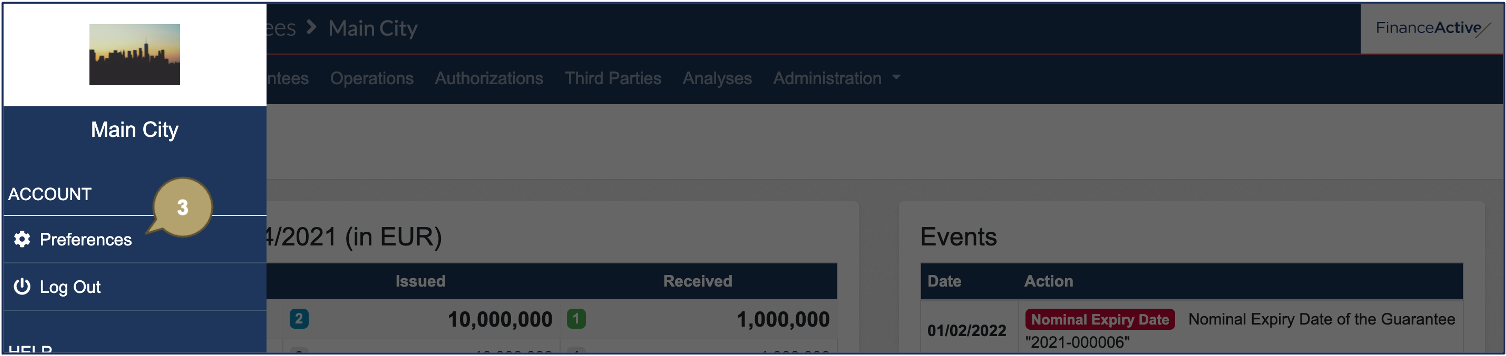
- Open the side menu.

- Click Account > Preferences.
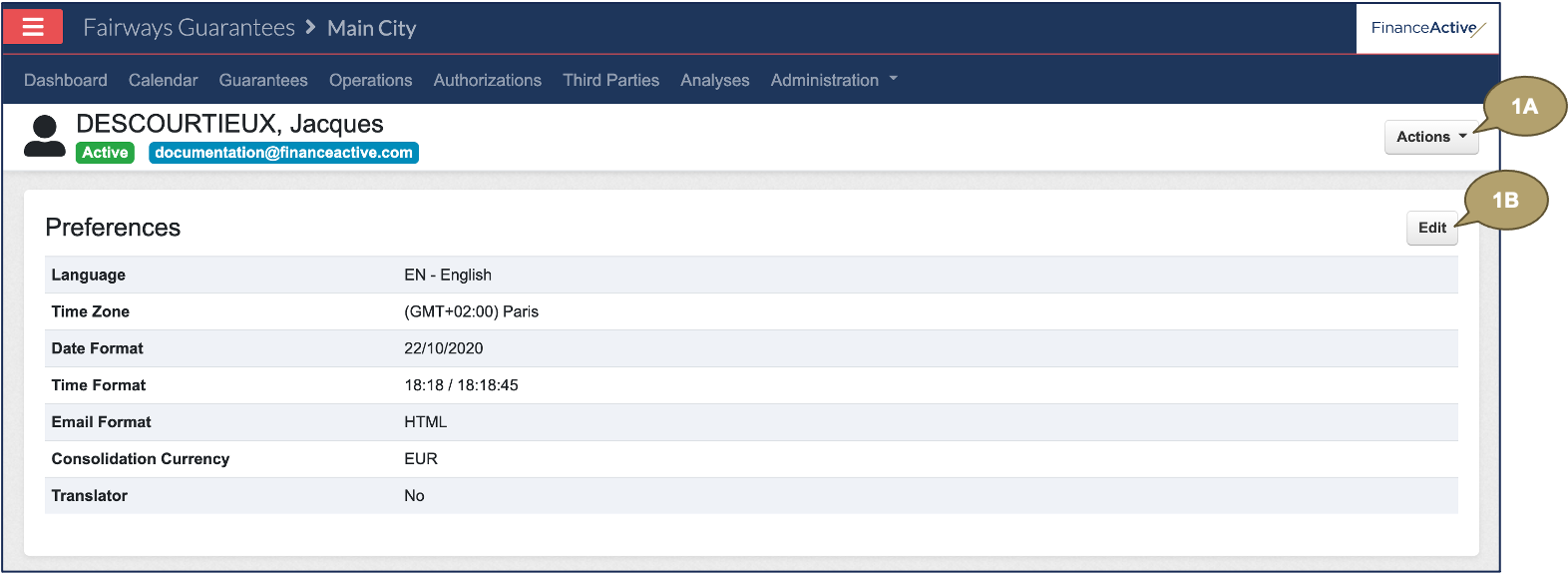
Edit Your Preferences
- Click:
- Actions > Edit > Edit Preferences.
- Edit in the Preferences section.
- Complete the form with all relevant details.
Note: Fields marked with an asterisk * are mandatory.
|
Field |
Description |
|---|---|
|
Platform language. |
|
|
Time Zone |
Your time, depending on your current location. |
|
Date Format |
Date display. |
|
Time Format |
Time display. |
|
Email Format |
Email display. |
|
Consolidation Currency |
Most used currency. |
|
Translator |
Display a language menu on the top bar, with access to the translator mode. Note: All Finance Active users are translators, even if the option is disabled. |
- Click Edit My Preferences.

In this example, we updated our language to French.
