Credit facility drawings are underlying transactions of credit facilities.
Credit facility drawings work similarly to standard loans, with their own characteristics (start and maturity dates, payment frequency, interest rate, etc.) and workflow (e.g. a drawing can be early repaid).
Every action carried out on a credit facility drawing impacts the associated credit facility, e.g. non-usage fee payments are updated if a credit facility drawing is repaid.
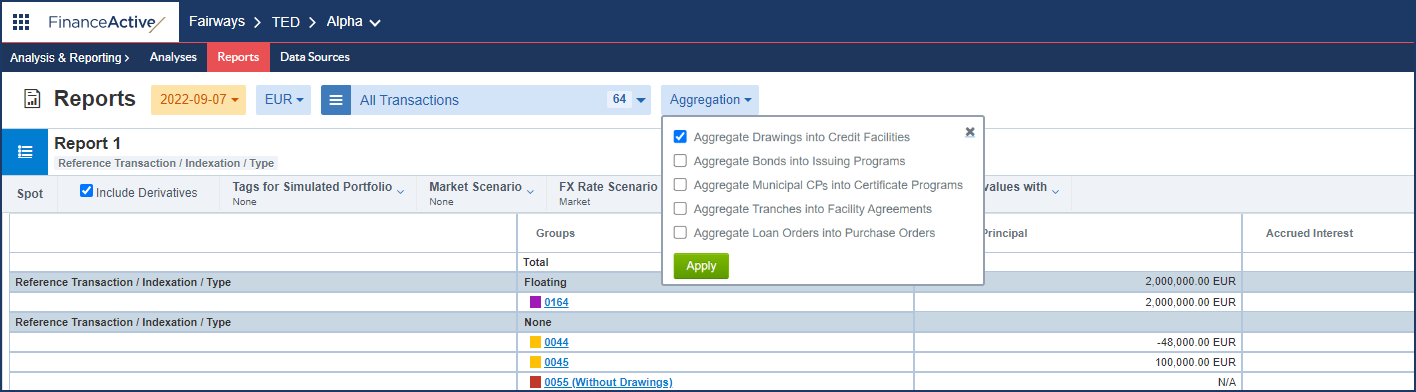
Drawings can be easily aggregated into credit facilities either from the portfolio or the calendar or when running a report.
Aggregate Drawings into Credit Facilities from the Portfolio
- Log in to your Fairways Debt account.
- Select a customer account.
- Navigate to Applications > Debt & Derivatives.
- Click Aggregation and select Aggregate Drawings into Credit Facilities.
- Click Apply.
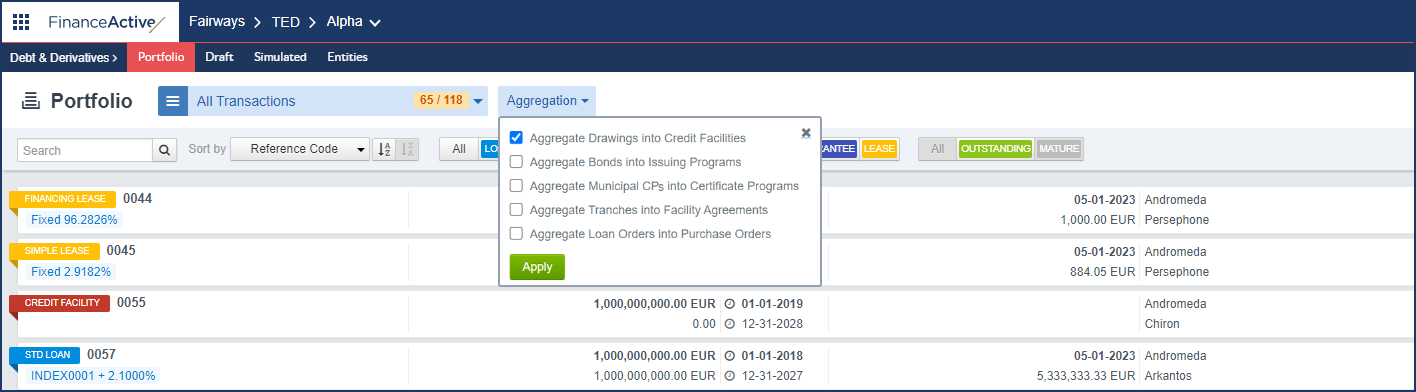
Aggregate Drawings into Credit Facilities from the Calendar Application
- Log in to your Fairways Debt account.
- Select a customer account.
- Navigate to Applications > Calendar.
- Click Aggregation and select Aggregate Drawings into Credit Facilities.
- Click OK.
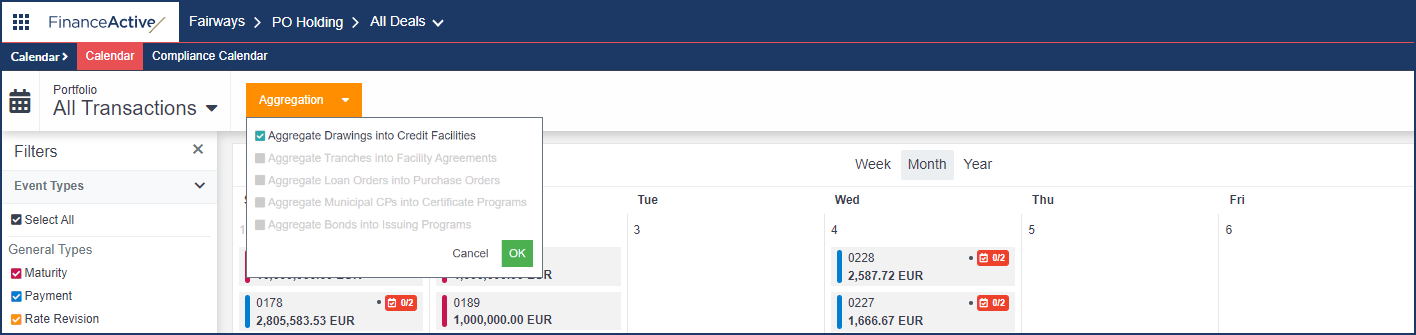
Aggregate Drawings into Credit Facilities from the Analysis & Reporting Application
- Log in to your Fairways Debt account.
- Select a customer account.
- Navigate to Applications > Analysis & Reporting.
- Click Aggregation and select Aggregate Drawings into Credit Facilities.
- Click Apply.