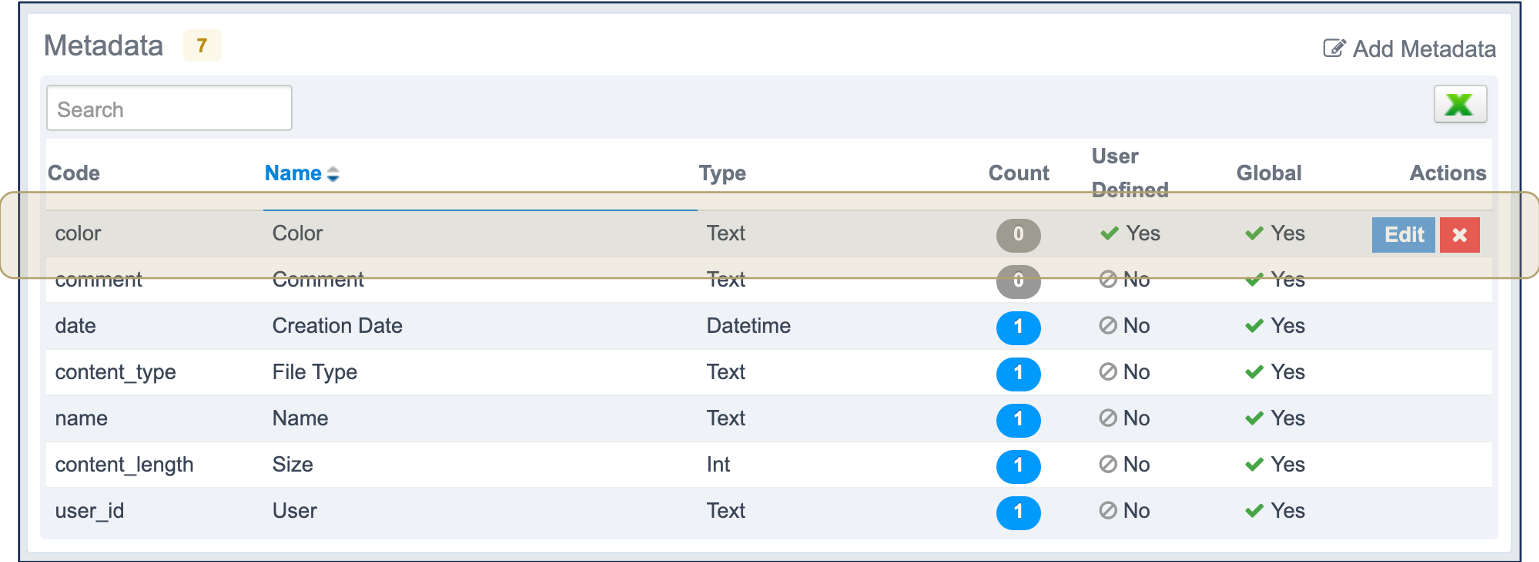
The Documents module of Fairways Debt stores all your documents. Metadata enables you to import the content of your documents when using API.
Note: Only administrators can manage document metadata.
Navigate to the Account Administration
- Log in to your Fairways Debt account.
- Select a customer account.
- Navigate to Applications > Account Administration.
Create a Metadata
- Navigate to Administration > Documents Module.
- Click Add Metadata.

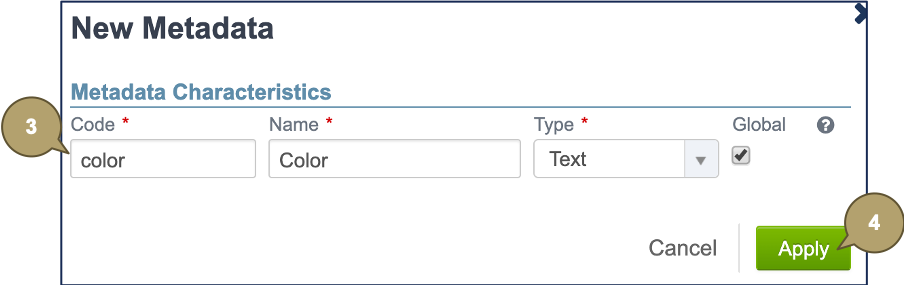
- Complete the form with all relevant details.
Note: Fields marked with an asterisk * are mandatory.
|
Field |
Description |
|---|---|
|
Code |
Code referencing the metadata. |
|
Name |
Name of the metadata. |
|
Type |
Type of the metadata to enter in the XML file:
|
|
Global |
|
- Click Apply to create the metadata.
The new metadata is now available.