Authorizations in Fairways Guarantees help you to follow your outstanding amounts based on the amounts approved by your banking partners or for internal use.
- Log in to your Fairways Guarantees account.
- Navigate to Authorizations.

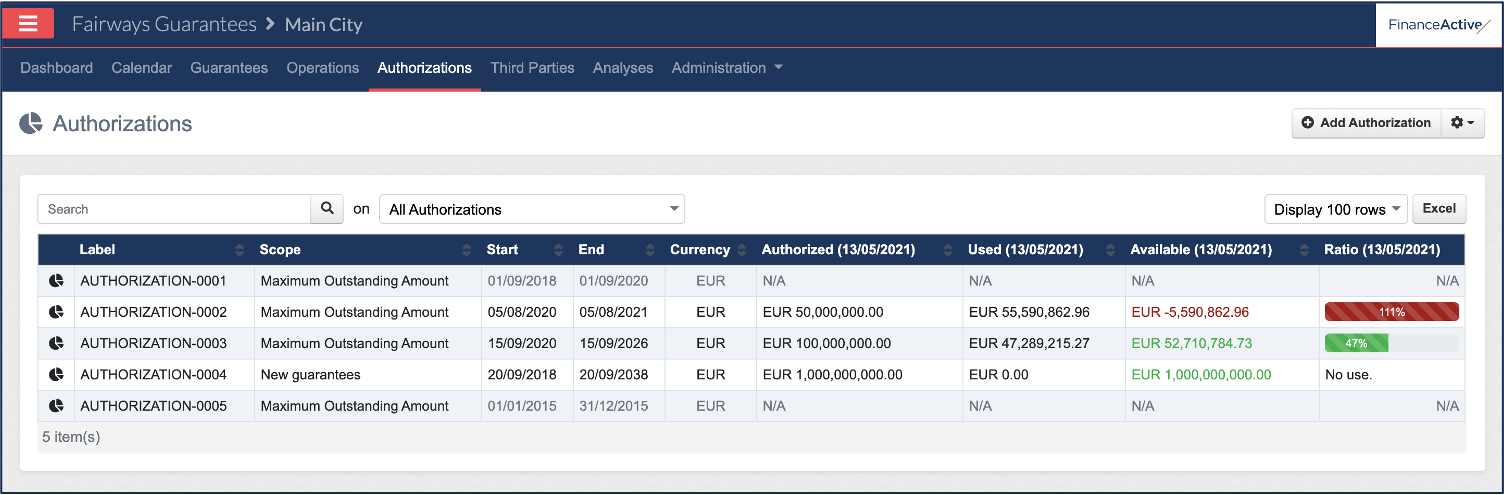
The Authorizations page displays.
|
Header |
Description |
|---|---|
|
Label |
Name of the authorization. |
|
Scope |
What guarantees the authorization takes into account. |
|
Start |
Effective date of the authorization. |
|
End |
End date of the authorization. |
|
Currency |
Currency applied to the authorized amount. |
|
Authorized (date) |
Amount of the authorization on the date displayed. |
|
Used (date) |
Amount of the authorization which has been used on the date displayed. |
|
Available (date) |
Amount of the authorization which can still be used on the date displayed. |
|
Ratio (date) |
Percentage of the authorization which has been used on the date displayed. |
|
# |
Description |
|---|---|
|
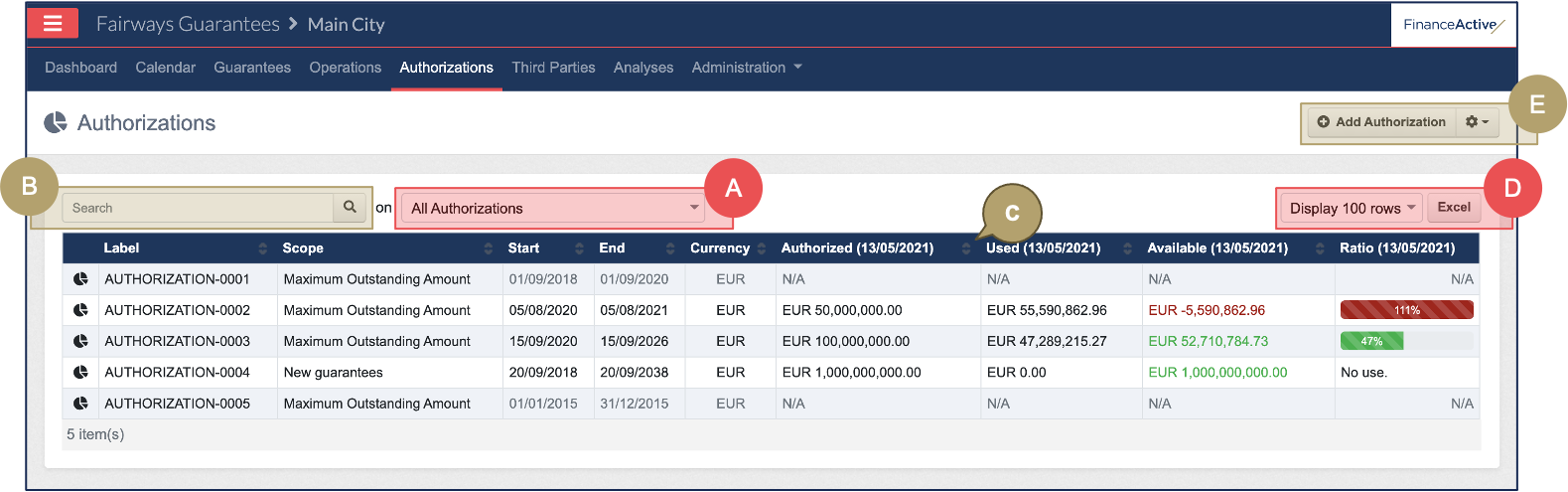
A |
Filter authorizations. |
|
B |
Search for authorizations. |
|
C |
Sort authorizations. |
|
D |
Select a view and export that view to Excel. |
|
E |
Additional actions:
|