The Hedging module in Fairways Debt allows you to manage the relationship of the actual debt and the risk hedging transactions.
This module also enables you to monitor macro-hedging information via a synthetic dashboard. It gives you a quick overview of the main information you need to manage hedging: the indicators such as the portfolio's hedge rate as well as the associations between transactions.
This feature allows you to:
- build the relationship between the debt and the hedges through allocation creation
- Monitor the macro-hedging information
- Generate macro-hedging analyses and reports
Note: Contact your Finance Active consultant to enable the Hedging module.
Create an Allocation
Refer to Create an Allocation to learn how to allocate a transaction for hedging.
You can also quickly allocate a new interest rate swap to hedge a transaction on your portfolio (navigate to Applications  > Debt & Derivatives > Portfolio) by clicking the “+” icon on the upper right corner and then select Create from transaction > Create Allocation Swap:
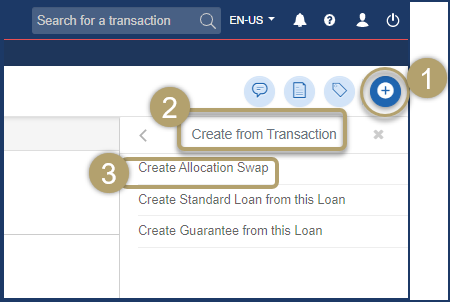
You will be prompted to enter the characteristics of the new interest rate swap - some being pre-filled according to the transaction being hedged - that will allow you to create and immediately allocate a new hedging transaction. Refer to Create an Interest Rate Swap (IRS) for more details.
Monitor the Macro-Hedging Information
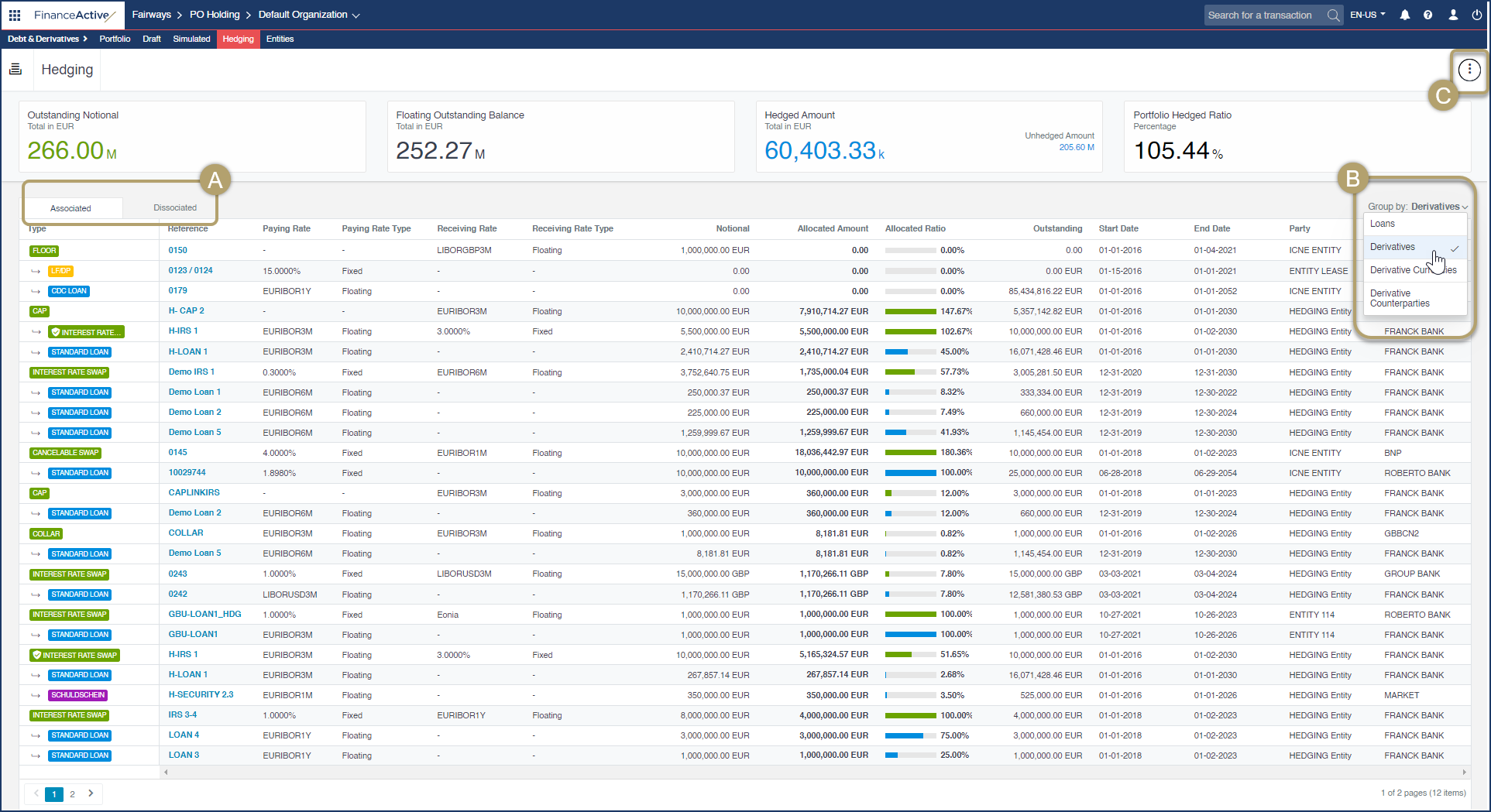
To access the dashboard and get a macro-hedging overview, navigate to Applications > Debt & Derivatives > Portfolio, and then select the Hedging tab:
|
# |
Description |
|---|---|
|
A |
The "Associated" tab (selected by default) lists all the transactions currently hedged and their associated hedging transactions in a tree-structure view. The main hedging indicators can be monitored from this view. The "Dissociated" tab lists the transactions that are not currently part of any hedging association. In both tabs, each transaction can be accessed by clicking on the value in the "Reference" column. The details of the transaction are then displayed and it is possible to configure an hedging allocation. |
|
B |
A filter is available to group transactions and sort them in the list by:
|
|
C |
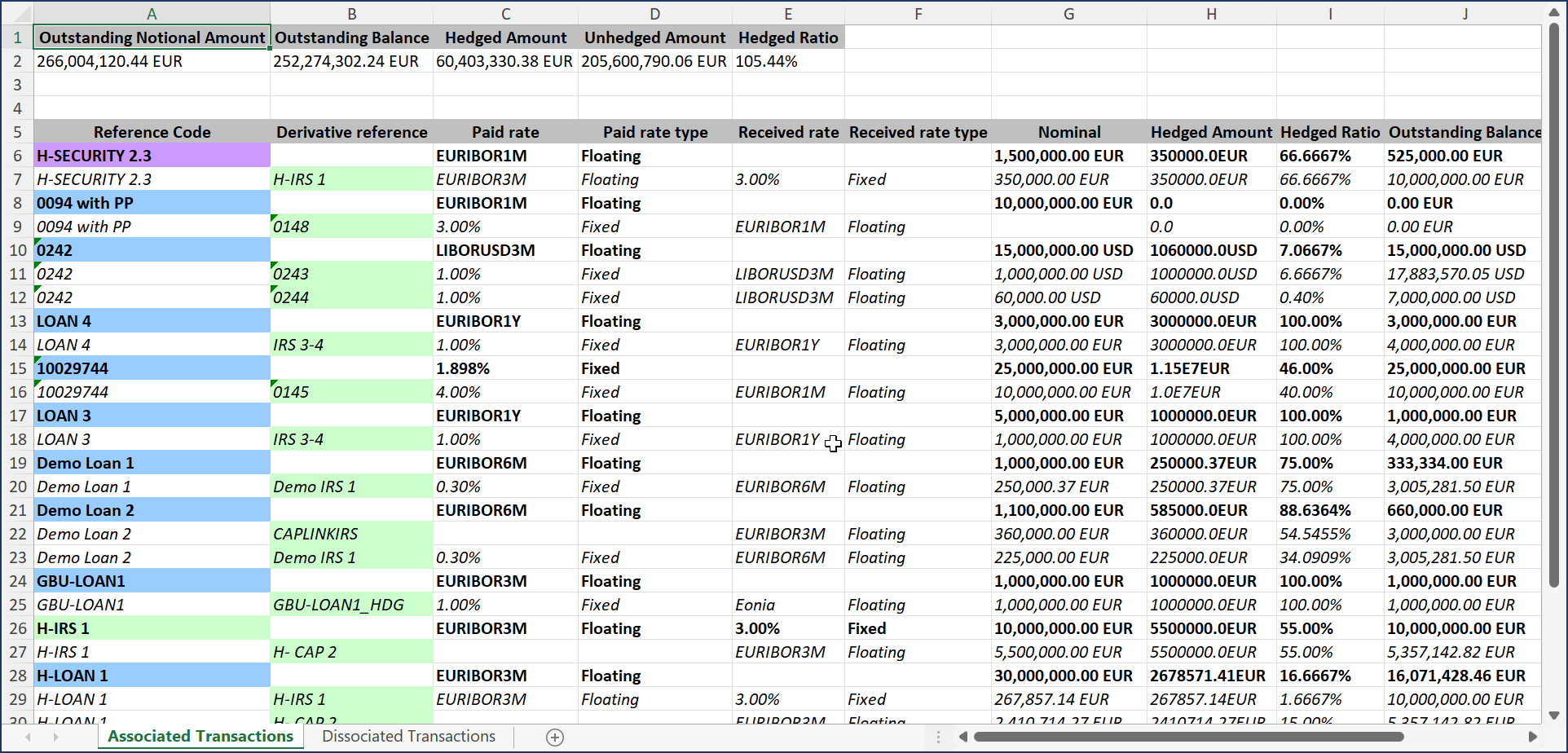
The current hedging data on the dashboard can be exported to an Excel file. |
Generate Macro-Hedging Analyses and Reports
Refer to Macro-Hedging Analysis and Macro-Hedging Coverage Analysis to learn how to display the related data.
The indicators for hedged transactions can be selected for your reports, allowing you to include the same data available in the Hedging module in your reports.
The following indicators are specific to hedging and available for spot reports:
- Hedged Amount
- Hedged Ratio
- Transaction Hedging Notional Amount
- Transaction Hedging Notional Amount (base currency)
The following indicators are available for periodic reports:
- Hedging Interest Expense (account currency)
- Hedging Interest Expense (base currency)
See the Hedging section for more details.