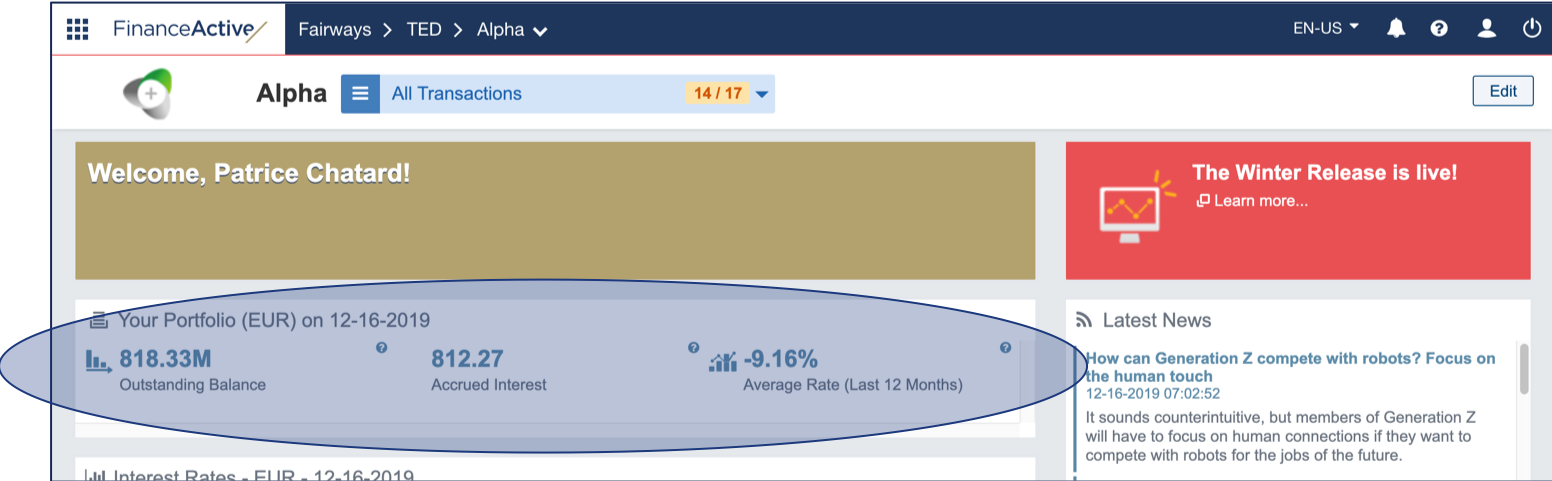
The key indicators in Fairways Debt show some useful data about your portfolio. If no indicators are selected for the account, default indicators show:
- In the Key Indicators widget in the dashboard:
- Outstanding balance
- Accrued interest
- Average rate (last 12 months)
- In the Indicator Watch List of the customer portal:
- Outstanding balance
- Capital commitment
- Rate commitment
- Average rate (last 12 months)
- Part of capital commitment <1 year

Note: Only account administrators can manage the key indicators.
Prerequisite
- For the dashboard, configure the dashboard with the Key Indicators widget
- For the customer portal, see the Customer Portal
Navigate to the Account Administration
- Log in to your Fairways Debt account.
- Select a customer account.
- Click Applications > Account Administration.
Edit the Key Indicators
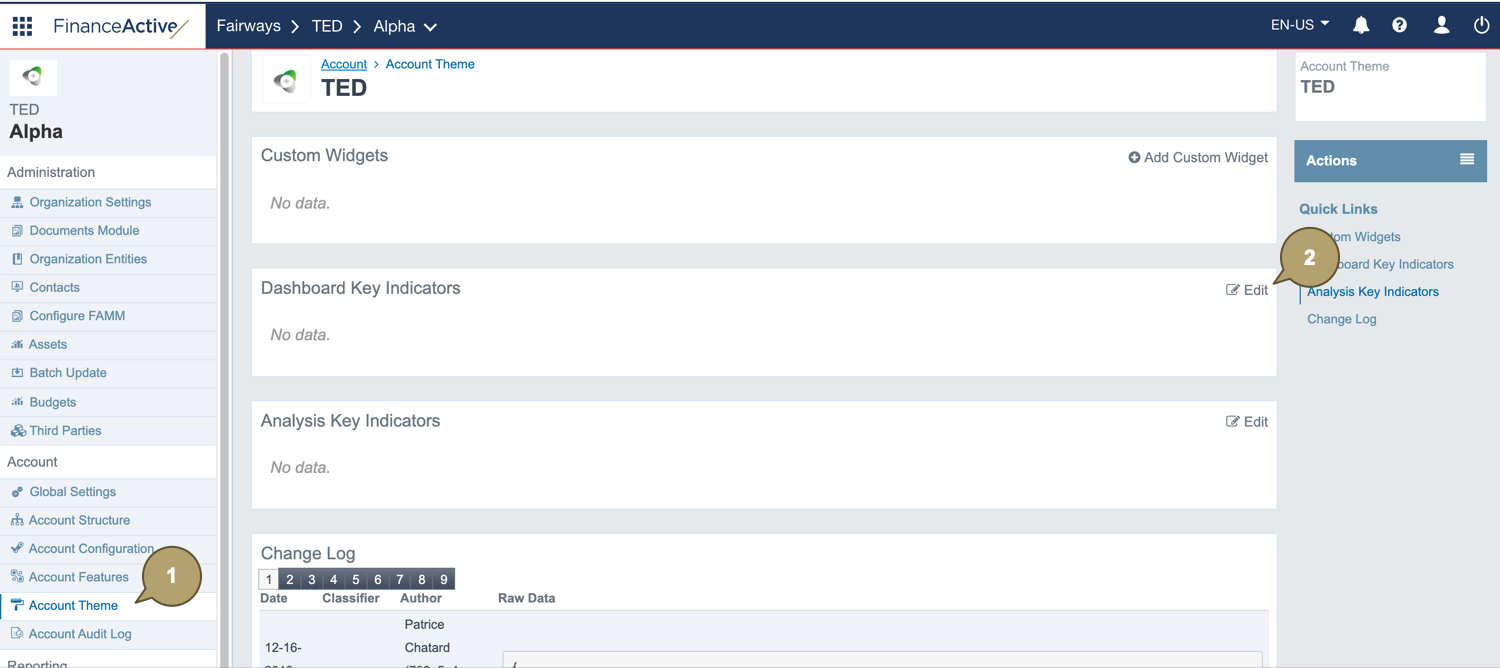
- Navigate to Account > Account Theme.
- Click Edit Dashboard Key Indicators.
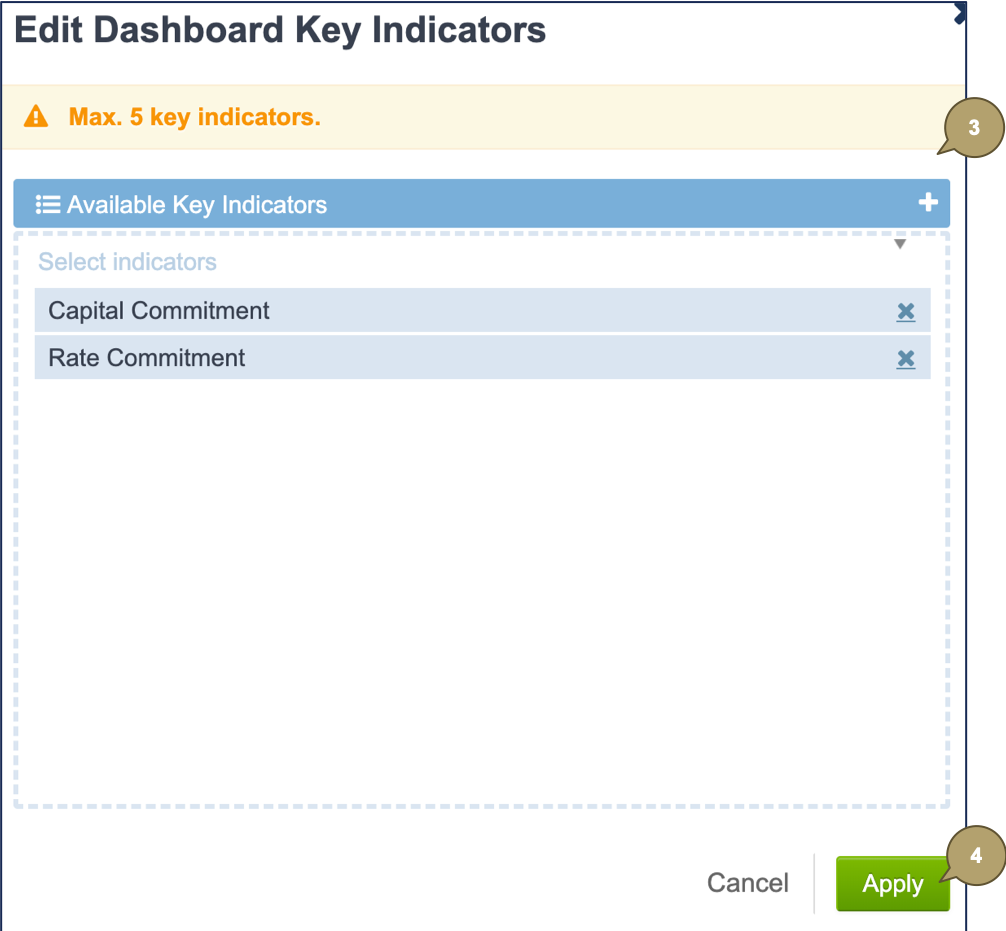
- Select the indicators to add to the dashboard.
- Click Apply.
The selected indicators display in the dashboard...
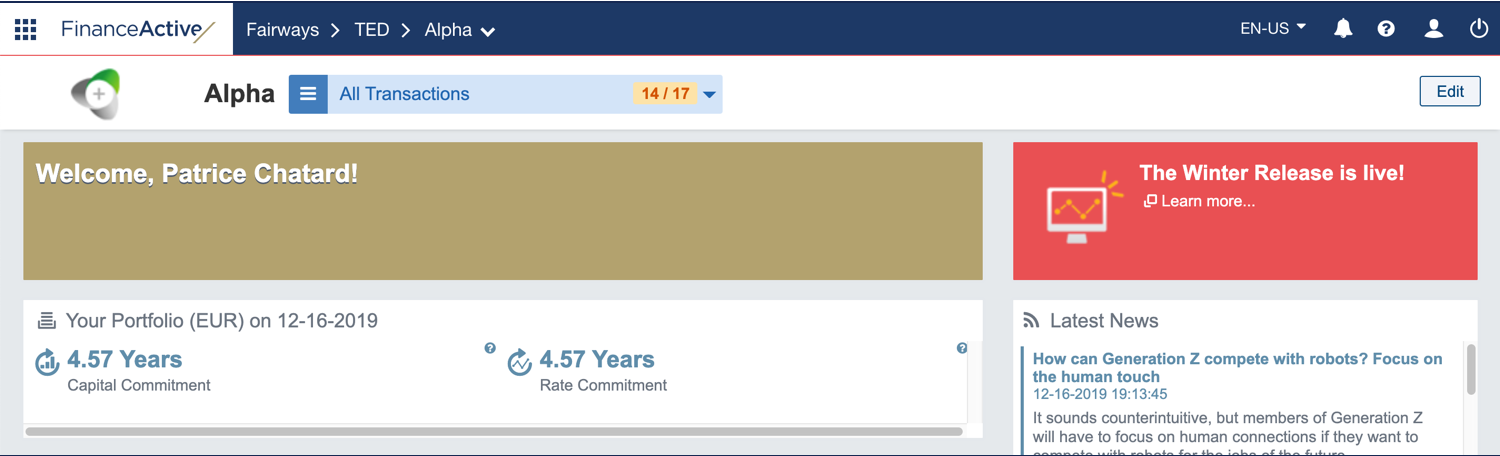
... and in the customer portal.
