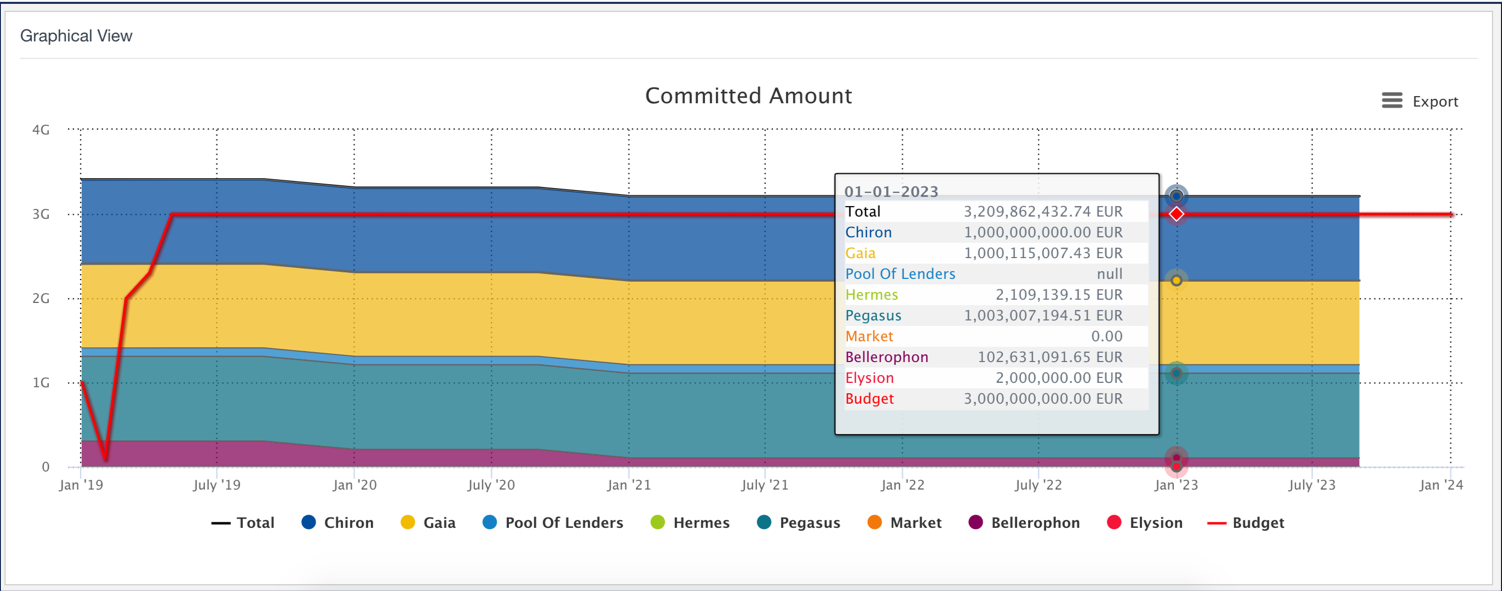
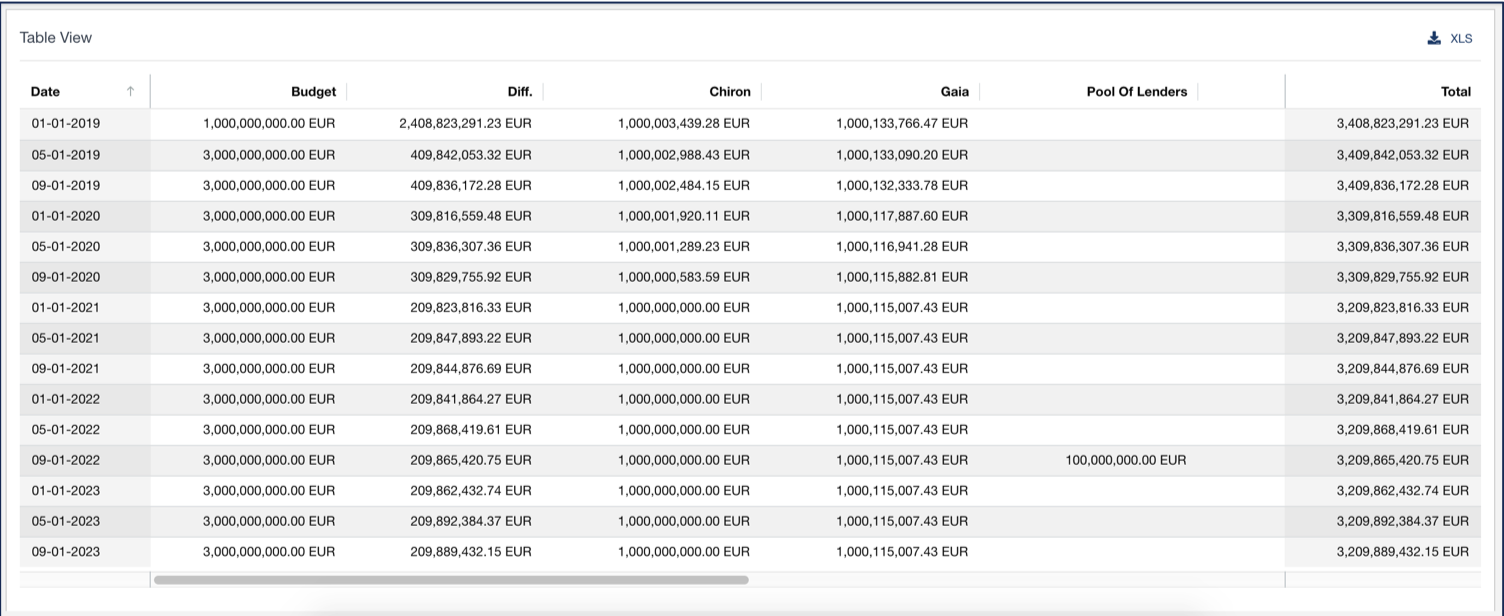
The detailed debt maturity profile illustrates how the outstanding balance, the available amount or the committed amount are evolving over time.
Prerequisite
- Contact your Finance Active consultant to enable the Detailed Debt Maturity Profile analysis in your customer account
Navigate to the Analysis & Reporting Application
- Log in to your Fairways Debt account.
- Select a customer account.
- Navigate to Applications > Analysis & Reporting.
Generate a Detailed Debt Maturity Profile Analysis
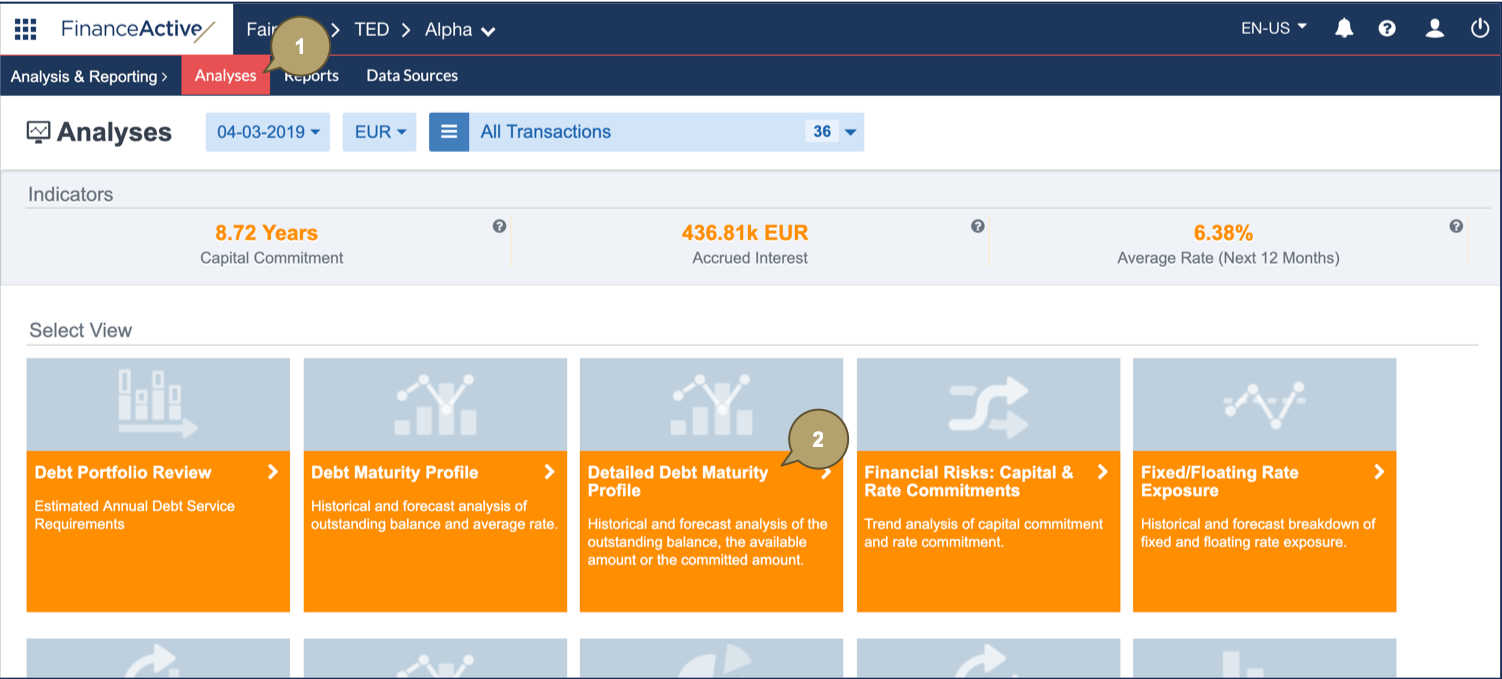
- Navigate to Analyses.
- Click Detailed Debt Maturity Profile.
- Configure the analysis settings.
| Field | Description |
|---|---|
| Market Date | Analysis date. |
| Currency | Currency in which the analysis data displays. |
| Filter | Refine to include relevant data in the analysis. |
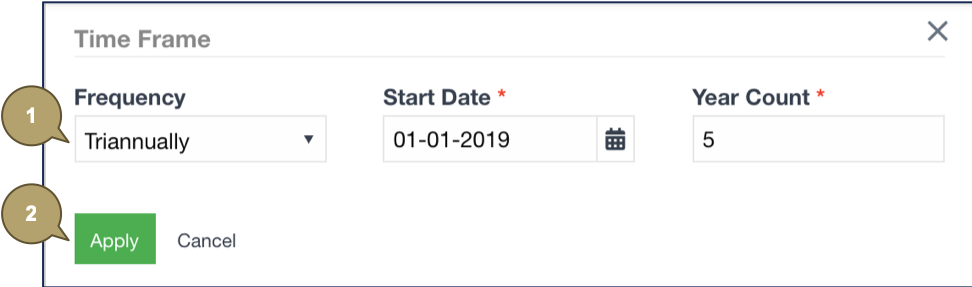
| Time Display | Display data following a period, start and end dates included. |
| Derivatives | Include/Exclude derivative transactions. |
| Tags for Simulated Portfolio | Filter by tag(s) applied to the simulated portfolio. View the transactions with a future trade date. |
| Attribute | Amount to display. |
| Group by | Data of parties or counterparties. |
| Budget | Budget used for borrowing requirements. |

The Detailed Debt Maturity Profile analysis updates following the selected settings.